So the bad news is, I just had this glitch (the one I had posted about here before I knew that this thread existed) happen twice back-to-back. The good news is, @katinka I think I have some helpful new data for you!
It was while I was adding names to this list. The first time, I lost a total of 90 names. When I was adding them all back, it happened again, and the second time, I lost only 4 names. I am still using the latest version of Firefox on a Mac laptop.
Something I noticed this time, as I was scouring for potential anomalies, is that in both instances, I had accidentally added a name twice; both times the name was not one that existed in the Nameberry database (first time: Trillium, second time: Gloriosa); both times when I reopened the list, the name appeared twice; in both instances, the heart next to the duplicate name was pink for the first entry (as these were all girls names) and black for the second entry, which I’ve never seen before; and both times when I clicked through to the edit interface, the name only appeared once in the box where you add new names.
Because that same sequence of events happened twice, I wondered if this is what is triggering the “unexpected error.” So I created a new list here to test my theory, deliberately added a name that I knew wasn’t in the database twice, and was able to intentionally trigger the error. I’m including screenshots of each step.
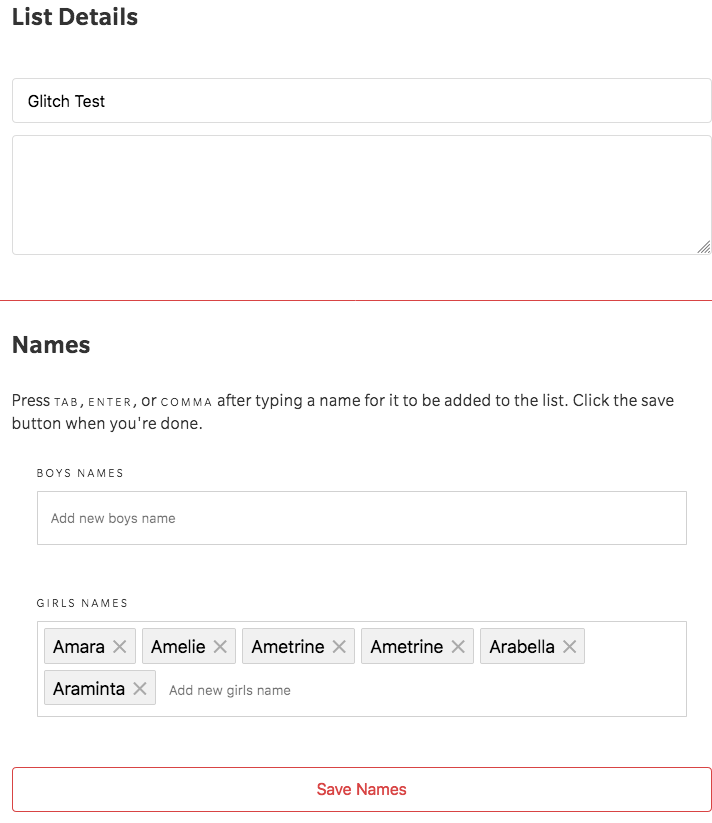
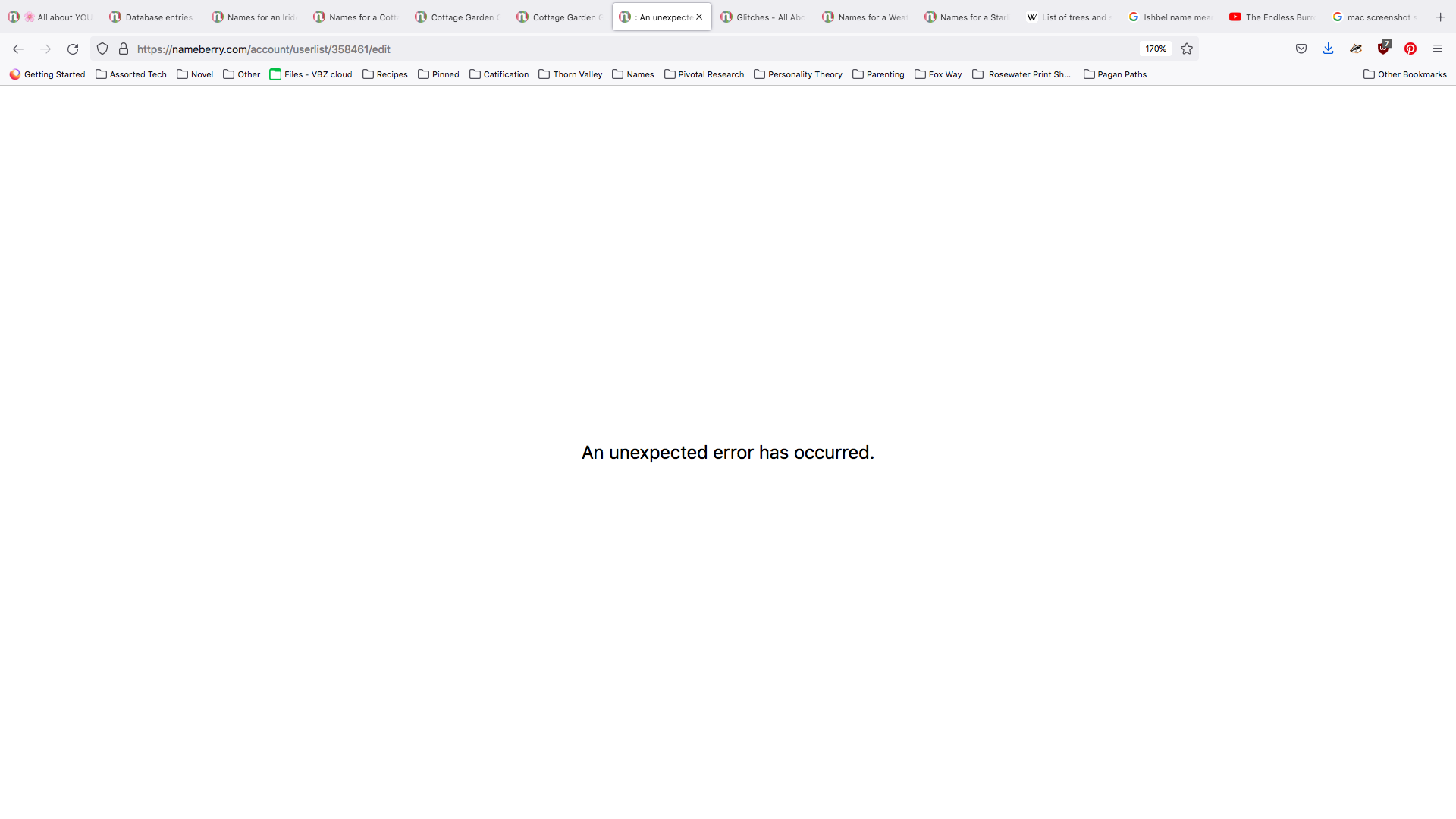
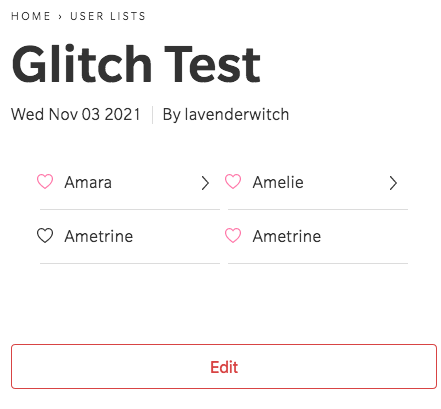
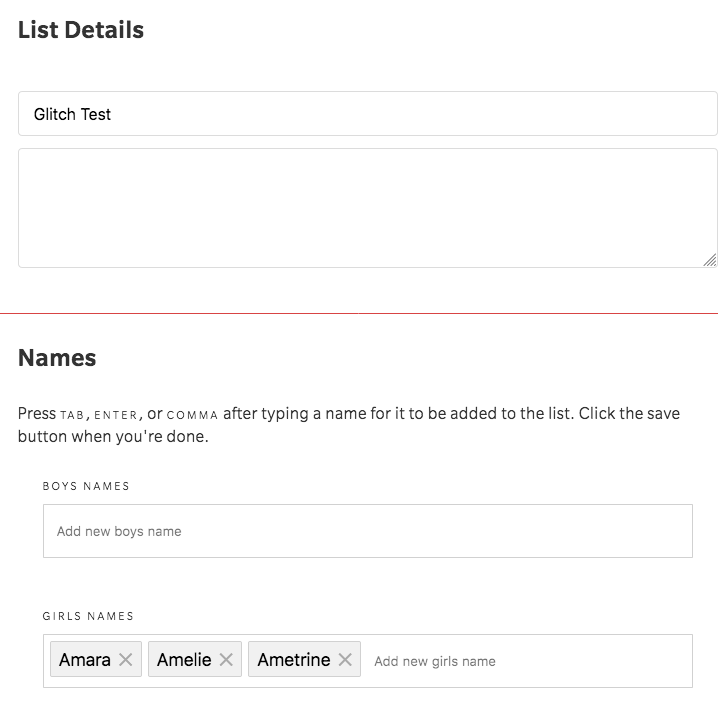
So it seems like this is what’s triggering the error. I hope this info helps the team find a fix for it! In the meantime, I’ll be extra careful not to enter the same name twice!